For TradingView
Mod your charts.
Put a live background behind your TradingView candles. 4 animated backgrounds free, all 11 with Pro. Your chart stays exactly how you set it up.
ChartMods runs in desktop browsers. Send yourself the link and install it there.
- Price
- Free
- Backgrounds
- 4 free · 11 Pro
- Account
- None
Free and Pro
Free
4 live backgrounds
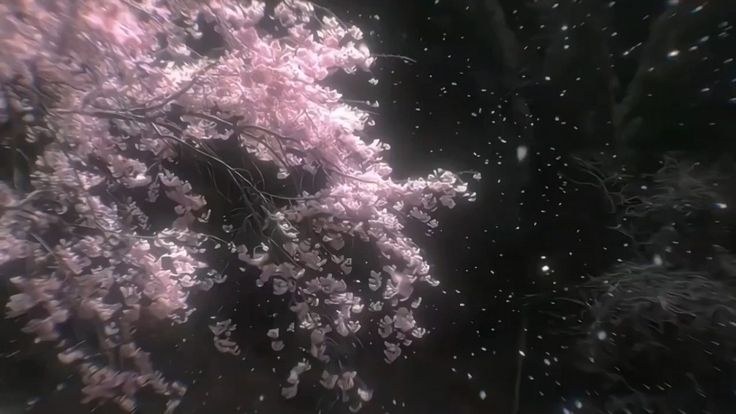
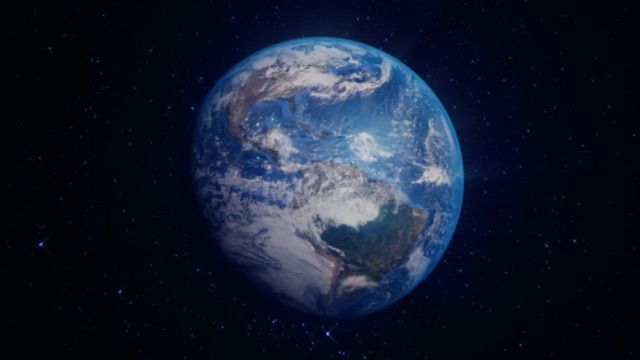
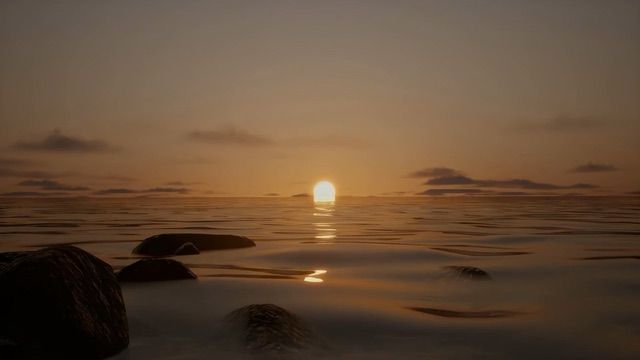
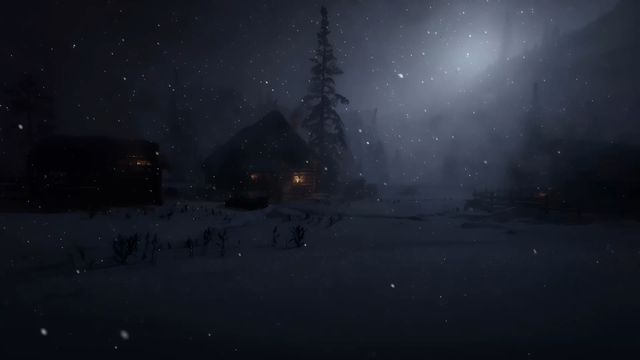
Cherry blossom at night, planet Earth, a still sea and a snowy cabin. Free forever.
Looks loud. Runs quiet.
A background should never cost you a tick. ChartMods draws behind the chart and gets out of the way.
- Backgrounds
- 11 live backgrounds, from cherry blossom at night to a black hole. 4 are free; Pro unlocks the rest and lets you use your own images, GIFs and live videos.
- Readability
- Dim, blur, strength and speed controls keep candles, levels and labels sharp on any background.
- Your setup
- Never changes your TradingView settings or synced layouts. Turn it off and your chart is exactly as it was, on desktop and on your phone.
- Performance
- A 47 KB download. Animation pauses when the tab is hidden, and you can cap it at 30 fps or freeze it.
- Shortcuts
- Alt Shift B turns it on or off. Alt Shift N switches background.
- Privacy
- The extension has no account and no analytics. Your own images and videos stay on your computer and are never uploaded.
Installed in about a minute.
Works in Chrome, Edge, Brave, Arc and Opera on Mac, Windows and Linux. One-click install from the Chrome Web Store is on the way.
On your computer it’s four quick steps: download, unzip, load it in your browser, open a chart. Send yourself the link and we’ll walk you through it there.
- 01DownloadGet the free zip. It's 47 KB.
- 02UnzipMove the folder somewhere permanent, like Documents.
- 03Load itIn your browser's extensions page, turn on Developer mode and choose Load unpacked.
- 04Open a chartYour background is already on. Click the ChartMods icon to switch.
How to use it
Everything happens from the ChartMods icon in your browser’s toolbar. Here’s all of it in 40 seconds.
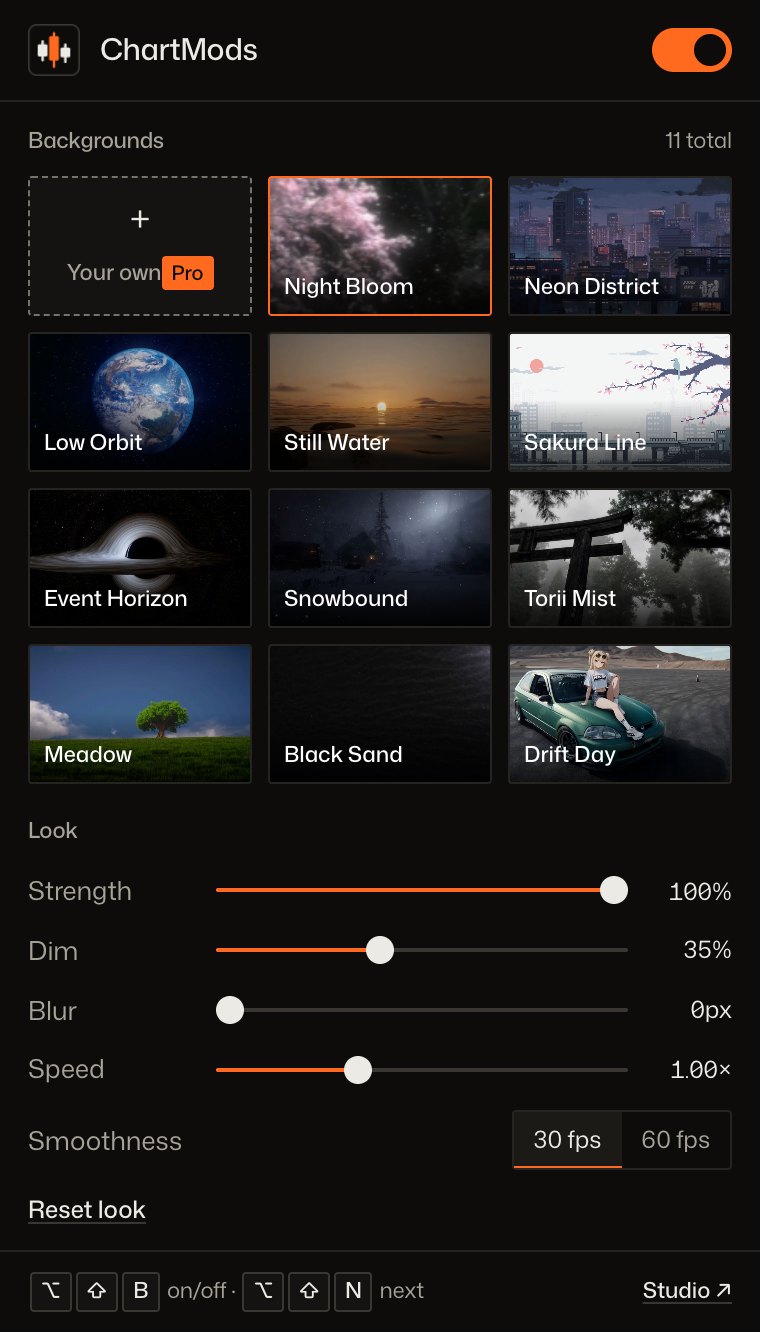
What to press
Click the ChartMods icon in your toolbar to open this panel. Can’t see it? Click the puzzle-piece icon and pin ChartMods.
-
Turn it on or off
Flip the switch at the top. Or press Alt Shift B while you’re on a chart.
-
Change wallpaper
Click any background. It changes straight away on every open chart. Or press Alt Shift N for the next one.
-
Keep candles easy to read
Drag Dim to darken the background and Blur to soften it. Strength and Speed sit just below.
-
Use your own image or video Pro
Click Your own to open Studio, then drop in an image, GIF or video. It stays on your computer.
-
Shortcuts, always listed
They’re at the bottom of the panel. On a Mac, Alt is the Option key.
ChartMods Pro
Any photo. Any video. Behind every chart.
Pro unlocks all 11 backgrounds, then makes it yours: upload any image, GIF or video loop and it plays behind your TradingView candles.
- Get Pro and paste your key into ChartMods Studio
- Drop in a photo, GIF or video
- It’s on every chart, with Dim and Blur to keep candles sharp
, free and nothing uploaded.
| Free $0 forever | Pro $2.99/mo or $9.99 once for life | |
|---|---|---|
| 4 live backgrounds | ✓ | ✓ |
| Dim, blur, strength and speed controls | ✓ | ✓ |
| Keyboard shortcuts | ✓ | ✓ |
| No watermark, no account | ✓ | ✓ |
| 7 Pro backgrounds: Drift Day, Neon District, Event Horizon and more | – | ✓ |
| Upload your own photos and GIFs | – | ✓ |
| Upload your own videos (MP4, WebM, MOV) | – | ✓ |
| As many uploads as you like | – | ✓ |
| Files stay on your computer | – | ✓ |
| Get Pro monthly Lifetime, $9.99 |
Pro
$2.99/month
or $9.99 once for life
- All 11 live backgrounds
- Upload your own photos and GIFs
- Upload your own videos
- As many uploads as you like
Buy on your phone, then use it on your computer: your key arrives by email.
Free
$0
- 4 live backgrounds
- Dim, blur, strength and speed
- Keyboard shortcuts
- No watermark, no account
Prices in US dollars; in the UK it’s £2.49/month or £7.99. Pro works on up to 3 computers. Cancel monthly anytime. 14-day refund on your first payment. Checkout by Polar.
Questions
How do I change the wallpaper?
Click the ChartMods icon in your browser’s toolbar and click any background. Or press Alt Shift N on a chart to jump to the next one. On a Mac, Alt is the Option key.
How do I turn it off?
Flip the switch at the top of the ChartMods panel, or press Alt Shift B. Your chart goes straight back to normal. Press it again to bring the background back.
Can it see my account or my trades?
No. ChartMods only draws a background behind the chart. It never reads your symbols, watchlists, orders, positions or account, and it doesn't place trades.
Will it change my TradingView layouts?
No. It never touches your TradingView settings, so saved and synced layouts, including the phone app, stay the same. Turn it off and your chart is untouched.
Does it slow down my chart?
It's built not to. Each background is drawn separately from your chart, stops when the tab is hidden, and can be capped at 30 fps or frozen.
Which browsers work?
TradingView in Chrome, Edge, Brave, Arc and Opera on Mac, Windows and Linux. Phones and the TradingView Desktop app aren't supported yet.
What’s the difference between Free and Pro?
Free gives you 4 live backgrounds and every control. Pro unlocks all 11 and lets you upload your own: any photo, GIF or video loop, as many as you like, on up to 3 computers. Already installed ChartMods before the Pro backgrounds? You keep all 11.
How do I switch on Pro after buying?
Polar emails you a license key straight after checkout. Click the ChartMods icon in your browser, open Studio, paste the key under ChartMods Pro and press Activate.
Can I cancel?
Yes, monthly Pro can be cancelled anytime from your Polar receipt email, and it stays active until the end of the month you've paid for. Lifetime is a single payment with nothing to cancel.
Can I use my own wallpaper?
Yes, that’s ChartMods Pro: images, GIFs and videos (MP4, WebM, MOV). They’re stored on your computer and never uploaded. You can preview your own image on the demo chart above for free.
Why does install need Developer mode?
Until the Chrome Web Store listing is live, the beta installs from a folder, which browsers only allow with Developer mode on. It doesn't give ChartMods any extra access.
Is ChartMods made by TradingView?
No. ChartMods is independent and isn't affiliated with, endorsed by or sponsored by TradingView, Inc.